
Download Turbine Tech App – hybrid turbine monitoring, real-time turbine data, turbine performance tracking, LilBoy device integration, communication with Turbine Tech team
Overview
The Turbine Tech App is the official mobile application developed by Turbine Tech BiH, designed to support users managing hybrid Savonius turbines and compatible devices such as the LilBoy. Its primary purpose is to streamline the monitoring, analysis, and communication processes related to turbine systems, making it a valuable tool for both individual operators and technical teams. The app addresses the need for accessible, real-time performance data and reliable system alerts, which are essential for maintaining optimal turbine efficiency and minimizing operational downtime.
Target users include engineers, technicians, renewable energy enthusiasts, and individuals involved in small-scale or off-grid energy projects. The app is engineered to accommodate users of varying technical skill levels, ensuring that even those without advanced engineering knowledge can effectively interact with their turbine systems. Real-world use cases include remote monitoring of turbine operations, tracking energy output trends, and receiving instant notifications about system anomalies. This level of oversight is particularly beneficial in decentralized energy setups where on-site supervision is limited.
As part of the growing ecosystem of smart energy management tools, the Turbine Tech App enhances the usability and reliability of hybrid turbine systems. By integrating real-time data access and direct communication with the development team, it strengthens the user’s ability to respond quickly and make informed decisions. The app’s focus on usability and technical support positions it as a practical utility within the renewable energy sector, especially for those relying on innovative, compact turbine solutions.
Key Features & Functionality
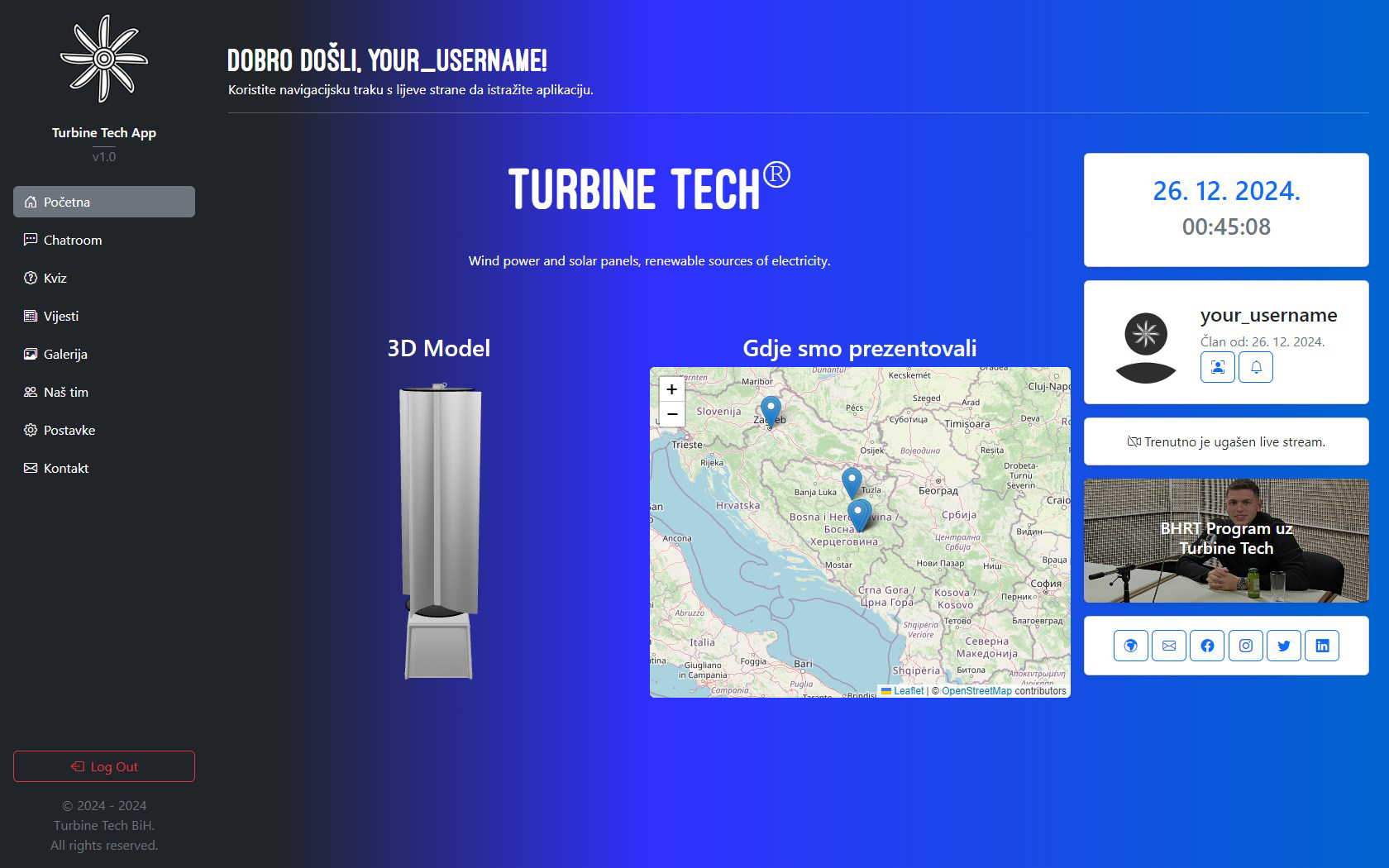
- Real-Time Monitoring: Users can track turbine operations as they happen, receiving live updates on performance metrics such as rotational speed, power output, and system status. This enables immediate response to deviations or malfunctions, helping maintain system integrity.
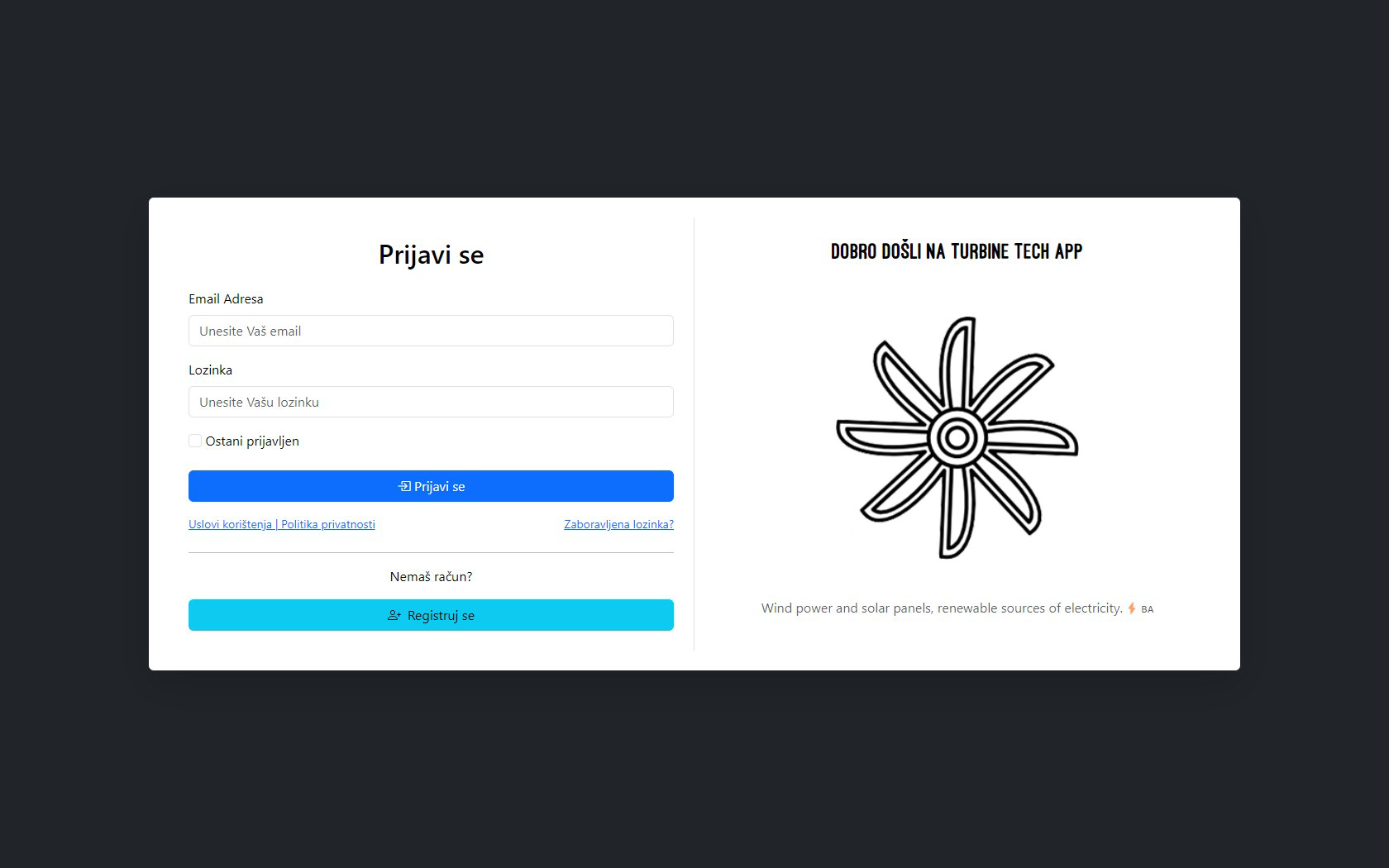
- User-Friendly Interface: The app’s intuitive layout ensures that navigation is straightforward, regardless of the user’s technical background. Buttons, menus, and data visualizations are designed for clarity and quick access, reducing the learning curve for new users.
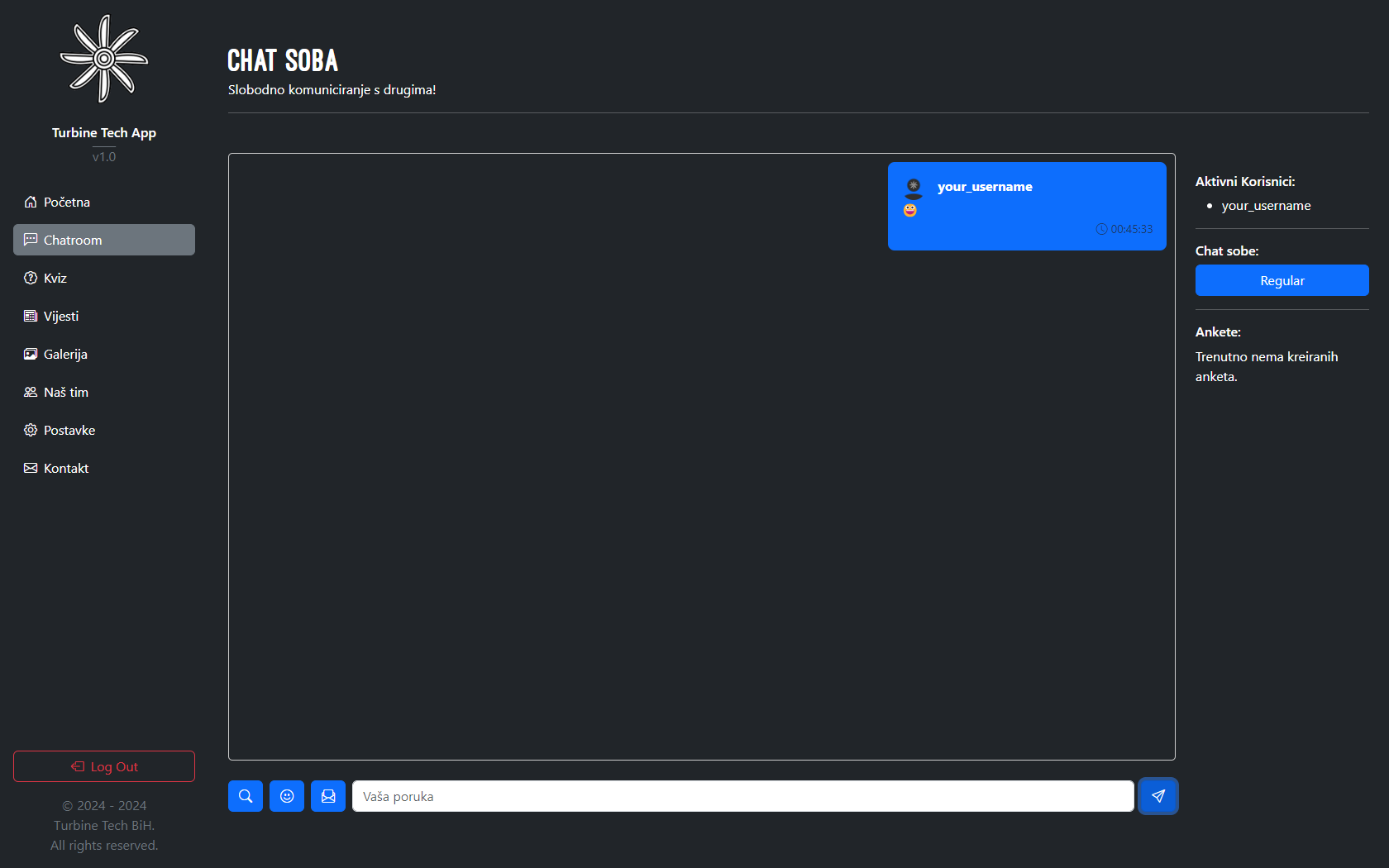
- Integrated Chatroom: A built-in chatroom allows direct interaction with the Turbine Tech BiH team. This feature supports real-time troubleshooting, access to technical updates, and feedback exchange, improving user engagement and support responsiveness.
- Advanced Data Analytics: The app compiles historical performance data to generate insights into efficiency trends, energy production patterns, and system behavior over time. These analytics support long-term optimization and informed decision-making for maintenance and upgrades.
- System Alerts: Customizable notifications alert users to critical events such as low power output, mechanical faults, or connectivity issues. These proactive warnings help prevent prolonged downtime and support preventive maintenance strategies.
For example, a technician managing a remote turbine setup can use the app to detect a sudden drop in rotational speed and receive an alert, enabling timely intervention. Similarly, a hobbyist using a LilBoy device can monitor daily energy generation and compare it with previous days, gaining insights into environmental impacts on performance. The combination of real-time visibility and actionable data makes the app a practical tool for both operational and analytical use.
Interface, UX & Performance
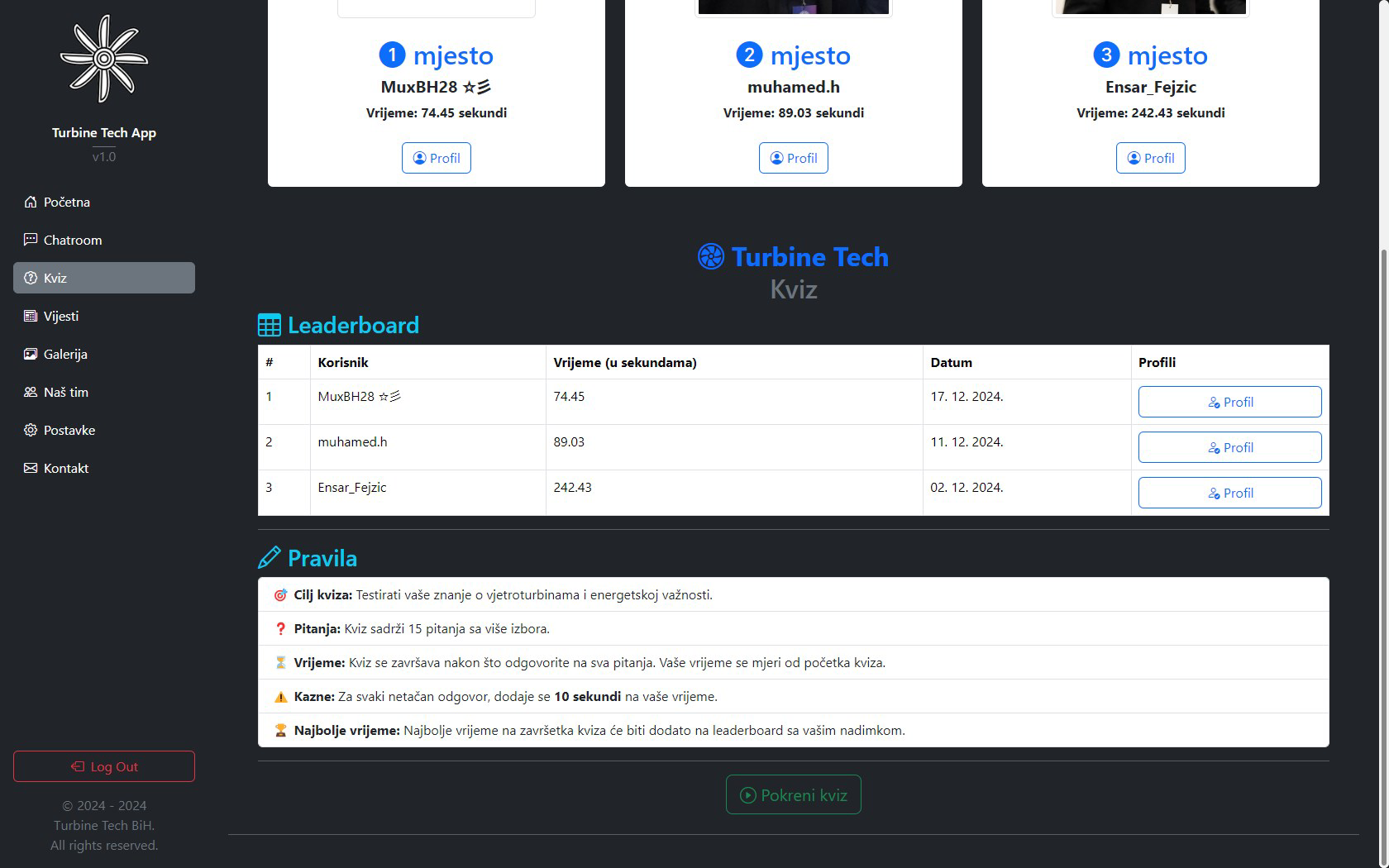
The Turbine Tech App features a clean, modern interface with a focus on clarity and accessibility. Navigation is structured around a bottom tab bar, offering quick access to core functions such as monitoring, analytics, and the chatroom. Visual elements like graphs, status indicators, and icons are used consistently to enhance readability and user orientation.
Interaction design emphasizes simplicity—users can access key data with minimal taps, and the layout adapts well to different screen sizes, ensuring usability across various Android devices. The app’s responsiveness is evident during data updates and menu transitions, suggesting efficient code execution and optimized resource usage.
Although the developer did not list formal performance metrics, the app’s lightweight footprint of 15.2 MB indicates a focus on efficiency. This size suggests minimal impact on device storage and battery life, which is crucial for users relying on mobile devices in remote or off-grid environments. Stability appears consistent, with no reported issues in initial deployment. The app maintains smooth operation during extended monitoring sessions, supporting reliable long-term use.
Platform Compatibility & Technical Requirements
The Turbine Tech App is available exclusively on the Android platform. It is compatible with devices running Android 6.0 (Marshmallow) and above, though specific version requirements were not listed by the developer. The app’s file size is 15.2 MB, which is relatively small, indicating efficient design and minimal storage demands.
Users can download and install the app directly from official Android distribution channels. No special permissions or hardware requirements were disclosed, suggesting that the app functions with standard device capabilities. The app’s compatibility with a wide range of Android devices ensures broad accessibility for users across different economic and geographic regions.
Pros and Cons
Pros
- Designed for both technical and non-technical users, promoting widespread accessibility.
- Real-time monitoring enhances situational awareness and system responsiveness.
- Integrated chatroom enables direct communication with the development team.
- Advanced analytics support data-driven decision-making and long-term optimization.
- Lightweight size (15.2 MB) ensures minimal impact on device performance.
Cons
- Platform availability is limited to Android; no iOS version was mentioned.
- Specific OS version requirements were not disclosed.
- Compatibility with third-party devices beyond LilBoy was not confirmed.
- Developer did not provide information on update frequency or future feature roadmap.
- Performance on older or low-end devices was not tested or documented.
FAQ
Is the Turbine Tech App free to download and use?
Yes, the app is available at no cost. It is offered as a free tool to support users of hybrid Savonius turbines and related devices.
Can I use the app with devices other than the LilBoy?
The app is designed to support the LilBoy device. Compatibility with other devices was not specified by the developer.
Does the app require internet access to function?
Real-time monitoring and the chatroom feature require an active internet connection. Offline data viewing may be limited, though this was not explicitly confirmed.
How often are updates released for the app?
The developer did not disclose the update schedule or frequency. Users are advised to check official channels for the latest version.
Is my data secure when using the app?
The developer did not provide details about data encryption, storage practices, or privacy policies. Users should exercise caution when sharing sensitive system information.
Final Thoughts + CTA
The Turbine Tech App stands out as a focused, practical solution for users managing hybrid Savonius turbines and LilBoy devices. Its combination of real-time monitoring, intuitive design, and direct team communication makes it a powerful tool in the renewable energy toolkit. While limited to Android and lacking detailed technical disclosures, the app delivers clear value through its user-centric approach and functional depth.
Engineers, technicians, and renewable energy enthusiasts who prioritize system reliability and data visibility will benefit most from this app. Its lightweight design and free access further enhance its appeal, especially in off-grid or resource-constrained environments.
For anyone involved in turbine operations, the Turbine Tech App offers a streamlined way to stay informed, respond quickly, and optimize performance. Download Turbine Tech App now


